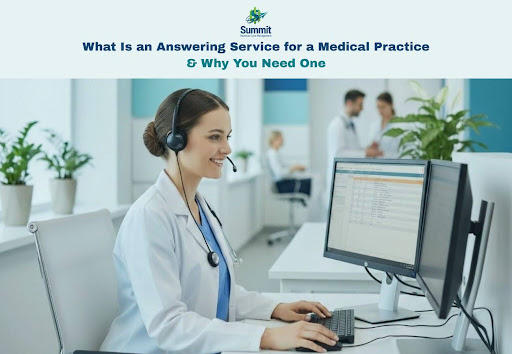
Phone calls are often the first point of contact between a patient and a medical practice. Missed calls can lead to missed care, lost revenue, and frustrated patients. A medical answering service ensures every call is answered promptly and professionally, even when your office is closed or staff are busy. With live, trained agents acting as an extension of your clinic, it helps maintain continuity of care, improve patient satisfaction, and reduce staff burnout.
This guide explains what a medical answering service is, how it works, why practices use it, and how to choose and implement the right solution.
What Is a Medical Answering Service?
A medical answering service is a third-party team (usually trained agents using specialized software) that handles inbound calls and messages for healthcare organizations. Depending on what you choose, they may:
- Answer calls live during business hours (overflow coverage)
- Cover lunch breaks, staff shortages, and high call volume spikes
- Provide evening/overnight/weekend and holiday coverage
- Take messages and send them to your staff securely
- Triage calls by urgency using your protocols
- Schedule appointments or submit appointment requests
- Route calls to on-call providers (with escalation steps)
- Support bilingual communication, basic FAQs, and patient intake
It differs from a generic call center because it is built for healthcare workflows: careful documentation, structured intake, urgency screening, and privacy protections.
How a Medical Answering Service Works (Step-by-Step)
While each provider operates differently, most follow a process like this:
Step 1: Call Forwarding or VoIP Integration
Your practice forwards calls to the answering service under certain conditions:
- After-hours (e.g., 6 pm to 8 am)
- Overflow (when lines are busy)
- Always-on (service answers first, then transfers as needed)
Some providers integrate with VoIP systems or use direct-dial numbers, but simple call forwarding is common.
Step 2: Live Agent Answering
A trained agent answers using your practice name and greeting:
“Thank you for calling Lakeside Family Medicine. How may I help you today?”
This matters because patients feel they’re speaking to your office, not a random vendor.
Step 3: Call Handling Based on Your Rules
Agents follow practice-specific instructions such as:
- What counts as urgent vs. routine
- Which doctor is on call
- How to handle prescription refill requests
- How to handle new patient inquiries
- What information must be collected for different call types
Step 4: Message Delivery & Escalation
Messages are delivered securely through:
- Encrypted email or portal
- Secure SMS/app alerts
- EHR-compatible messaging (in some cases)
- Phone transfer to the on-call provider for urgent issues
Escalation usually includes multiple attempts:
- Notify on-call provider
- If no response in X minutes, contact backup
- If still no response, follow your emergency protocol
Step 5: Documentation & Reporting
The service logs calls, timestamps, caller details, and outcomes. Many provide daily summaries, call recordings (where permitted), and analytics to help improve front-desk workflow.
Why Medical Practices Need an Answering Service
Medical practices operate in a fast-paced environment where missed calls can directly impact patient care, staff morale, and revenue. An answering service helps bridge communication gaps while supporting both patients and internal teams. Below are the key reasons practices rely on medical answering services, explained in detail.
Improved Patient Accessibility and Satisfaction
Patients expect timely responses when they call a medical office, especially when they are worried or unwell. An answering service ensures calls are answered by a live person rather than voicemail, even after hours or during peak times. This immediate human response reassures patients, reduces frustration, and creates a more professional and caring impression of the practice.
Reduced Missed Calls and Lost Revenue
Every unanswered call is a potential missed appointment or lost new patient. Answering services capture appointment requests, new patient inquiries, and urgent concerns that might otherwise be missed when staff are busy. This helps practices protect revenue and grow their patient base without increasing front-desk staffing.
Relief for Front-Desk Staff and Lower Burnout
Front-desk teams often manage high call volumes while handling in-office patients and administrative tasks. An answering service reduces call overload by handling routine inquiries, overflow calls, and after-hours communication. This allows staff to focus on in-person patients and critical tasks, leading to improved efficiency and reduced burnout.
Better After-Hours and Urgent Call Management
Urgent calls outside normal business hours require consistent handling to protect patient safety. An answering service follows defined protocols to identify urgent issues and escalate them to the on-call provider promptly. This ensures urgent matters are addressed appropriately while non-urgent calls are documented for follow-up during office hours.
Improved Workflow and Provider Focus
By filtering calls and routing messages accurately, answering services minimize unnecessary interruptions to clinicians. Providers receive only relevant, well-documented messages, allowing them to focus on patient care and make informed decisions without constant disruptions.
Professional Image and Practice Reputation
A practice that answers calls promptly appears organized, reliable, and patient-focused. Consistent call handling improves the overall patient experience and can lead to better reviews, stronger referrals, and long-term patient loyalty.
Operational Flexibility and Business Continuity
Staff shortages, vacations, sick days, and unexpected call surges are unavoidable. An answering service provides reliable backup coverage, ensuring uninterrupted communication without the need to hire or train additional staff.
Together, these benefits make a medical answering service a strategic tool for improving communication, protecting staff well-being, and delivering high-quality patient care.
Medical Answering Service Use Cases by Practice Type
| Practice Type |
Common Use Cases for an Answering Service |
| Primary Care / Family Medicine |
Overflow call handling, appointment requests, medication refill messages, lab result inquiries, and after-hours urgent call routing. |
| Pediatrics |
After-hours parent calls, symptom intake for sick children, urgent escalation using protocols, and reassurance with a clear message capture. |
| Dental Practices |
After-hours emergency dental calls, appointment scheduling and cancellations, and routing urgent pain or trauma cases to on-call providers. |
| OB/GYN |
Pregnancy-related after-hours calls, labor concerns, urgent escalation to on-call providers, and sensitive patient communication. |
| Behavioral Health / Mental Health |
Crisis call routing, after-hours support, appointment coordination, privacy-focused message handling, and escalation per safety protocols. |
| Specialty Practices |
Referral coordination, pre- and post-procedure questions, test result inquiries, complex call routing, and multi-provider on-call management. |
This structured approach shows how medical answering services adapt to different practice needs while maintaining consistent, reliable patient communication.
What to Look for When Choosing a Medical Answering Service
When evaluating a medical answering service, focus on features that support efficiency, patient safety, compliance, and cost control. The right provider should function as a seamless extension of your practice. If you’re evaluating providers, these features matter most:
Operational Fit
- 24/7 live answering (or specific hours you need)
- Overflow handling with configurable triggers
- Custom scripts tailored to your practice
- On-call schedule management & escalation paths
- Warm transfers to staff during business hours
Patient Safety & Quality
- Consistent call documentation
- Urgent call escalation rules and time-to-response tracking
- Training for medical call handling (not just generic agents)
- QA process (call monitoring and coaching)
Privacy & Compliance (Critical)
- HIPAA-ready operations (if you’re in the U.S.)
- Business Associate Agreement (BAA), where applicable
- Secure transmission methods (encrypted portal/email)
- Role-based access controls
- Clear data retention policies
Integration & Workflow
- Integration with VoIP/phone systems
- Appointment booking support (if offered)
- Compatibility with your messaging tools
- Analytics and call reporting
Service Experience
- Fast onboarding and script customization
- Dedicated account manager (ideally)
- Reliable uptime and backup systems
Cost and Pricing Transparency
- Clear pricing structure (per-minute, per-call, or monthly plans)
- Transparent overage fees with no hidden charges
- Flexible plans that scale with call volume
- Cost visibility through usage reports
How to Choose the Right Answering Service
Here’s a practical selection framework:
Step 1: Define your must-haves
Pick your top needs:
- After-hours triage and paging?
- Overflow during business hours?
- Appointment scheduling or just requests?
- Bilingual support?
- Multiple providers and specialties?
Step 2: Map your call types
List your most common call categories:
- Appointments (new vs existing)
- Refill requests
- Billing/insurance
- Lab results
- Urgent symptoms
- Referral follow-ups
- Practice information (hours, location)
Then specify what should happen for each category.
Step 3: Ask targeted questions in demos
“Show me how you document an urgent call.”
“How do you handle no response from the on-call provider?”
“What does your agent training include?”
“How do you keep our scripts updated?”
“What secure channels do you use for delivering messages?”
Step 4: Run a pilot
Many practices start with after-hours only for 30 days, then add overflow coverage if it’s working well.
How to Implement a Medical Answering Service
A medical answering service can be a dream or a mess, depending on the setup. Implementation is where success happens.
1. Create scripts and call flows
Write simple decision trees. Example:
Appointment request
- Collect name, DOB, call-back number
- Reason for visit
- Preferred dates/times
- Insurance type (optional)
- Confirm next step: “Our team will call you during business hours.”
Urgent concern after-hours
- Collect symptoms and onset
- Screen for red flags (your list)
- If red flags: instruct patient to call emergency services (per your policy) + notify provider
- Otherwise: page provider with structured message
2. Build your on-call schedule and escalation ladder
Define:
- Primary on-call
- Backup on-call
- Time-to-response expectations
- What to do if nobody answers
3. Train your staff
Your team should know:
- When calls are forwarded
- How messages arrive
- How to update scripts
- How to report issues (wrong routing, missing info)
4. Go live with monitoring
For the first 1–2 weeks:
- Review call logs daily
- Identify patterns: missing questions, wrong routing, unclear scripts
- Adjust call flows quickly
5. Measure outcomes
Track a few simple metrics:
- Missed/abandoned calls (should drop)
- New patient conversion
- Average hold time
- After-hours urgent call response time
- Staff satisfaction and overtime hours
Common Mistakes to Avoid When Using a Medical Answering Service
Even a high-quality answering service can fall short if it is not set up or managed properly. Avoiding common mistakes helps ensure the service delivers consistent value and protects patient experience.
Unclear or Incomplete Call Instructions
Without clear scripts and protocols, agents may collect the wrong information or route calls incorrectly. Always provide detailed guidance for each call type and update it regularly.
Treating the Service as Voicemail Only
Using an answering service solely to take messages limits its value. When properly configured, it can screen urgency, manage overflow, and support scheduling, improving overall workflow.
Overly Complex Triage Rules
Complicated decision trees increase the risk of errors. Keep triage instructions simple, clear, and focused on identifying urgency rather than diagnosing.
Failing to Review Call Reports
Ignoring call logs and reports can allow issues to go unnoticed. Regular review helps identify trends, training gaps, and opportunities to improve patient communication.
Poor Communication With the Provider
Lack of ongoing communication leads to outdated scripts, incorrect on-call schedules, and service breakdowns. Regular check-ins help maintain accuracy and performance.
For practices looking to improve both communication and revenue operations, these services work best when paired with strong billing support—learn more in our guide on Key Benefits of Hiring a Medical Billing Company.
Take control of your daily operations with Summit RCM
Reliable communication and strong administrative support are essential for a thriving medical practice. While answering services ensure every call is handled professionally, virtual support keeps your daily operations efficient, organized, and patient-focused.
Summit RCM offers comprehensive Virtual Medical Assistant (VMA) services that manage everything from appointment scheduling and patient follow-ups to documentation, insurance verification, billing support, and general administrative tasks, freeing your team to focus on delivering excellent care.
Schedule a consultation with Summit RCM now and see how a dedicated virtual medical assistant can streamline your practice and drive better results.
.png)